 Neume
NeumeVersion control and live collaboration,
built into a music notation editor
Neume treats a score the way software treats code: you sketch in a draft, publish named versions, and see exactly what changed, note by note and author by author. This page shows the real thing.
Everything works without an account; sign in only when you want your scores saved and synced.
A serious editor in the browser
The full editor runs in your browser with nothing to install: keyboard-first note entry (letters place pitches, numbers pick durations), a task ribbon for notation, structure, text, and layout, and a context inspector for lyrics, chords, dynamics, and figured bass. On your phone, a focused view keeps browsing and playback close at hand.
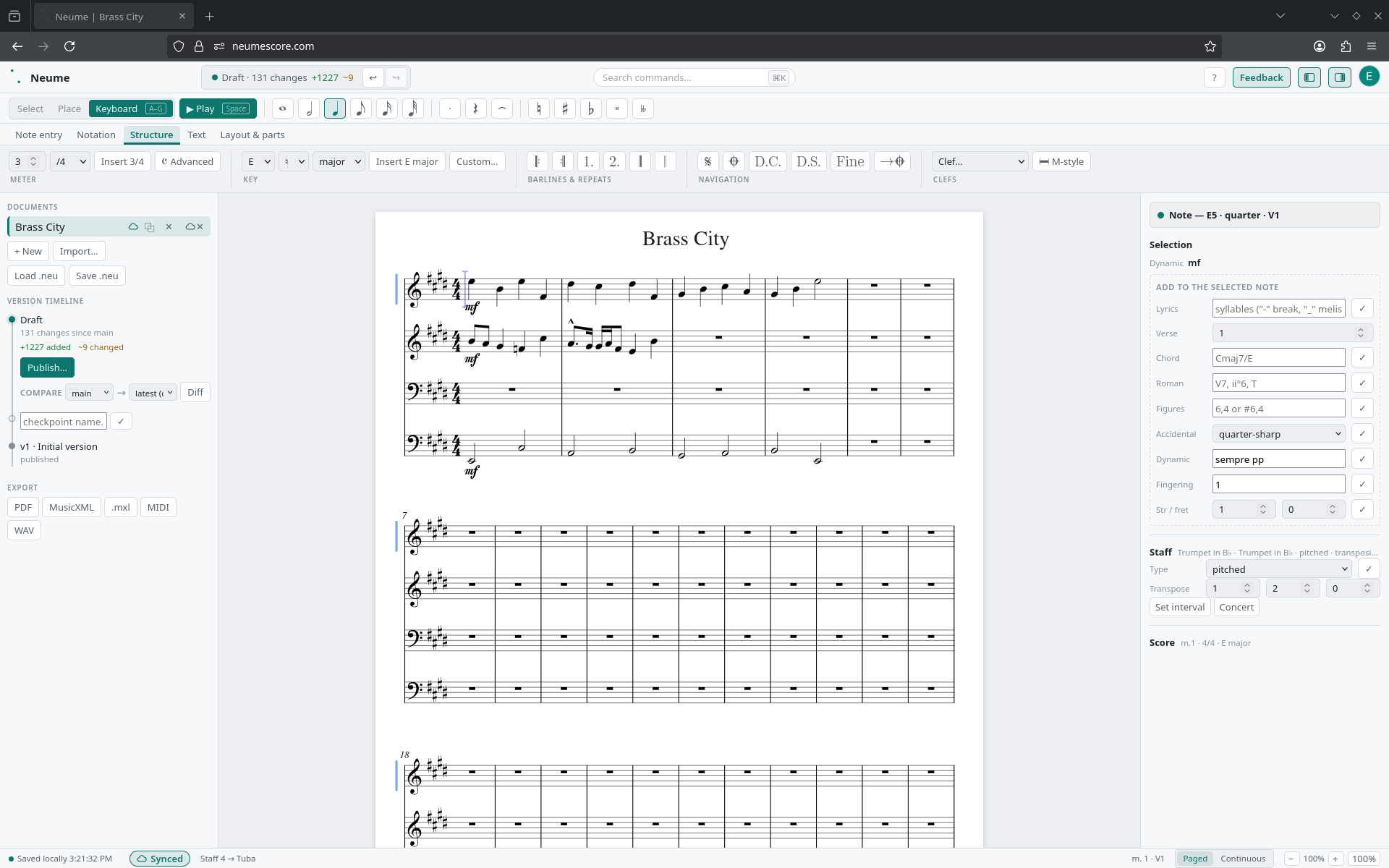
Drafts, published versions, and note-level diffs
Every score is a history of small, replayable changes; it is the same model software teams have trusted for decades. You work in a draft; nothing is permanent until you publish a named version. Compare any two versions and Neume draws the difference on the page itself: changed notes in red where they were, green where they landed.
In a live shared score, collaborators write on the same draft with owner, editor, and viewer roles. Every change carries its author, history answers who wrote what and when, and the owner decides what gets published.
Sound, speed, and the printed page
- Real instrument sound. About 69 sampled instruments load in the background, so the first press of Play sounds like the instrument.
- Keyboard-first entry. Type letters to place notes, steer durations from the number keys, and reach every command through one searchable palette.
- Output you can put on a stand. Page setup covers headers, footers, margins, and paper sizes. From there, export to PDF, MusicXML, MIDI, or WAV.
Free to use; an account only to save
Open the editor and write: entry, playback, versions, diffs, and export all work without signing in. An account is only needed to save scores and sync them across devices.